https://www.instagram.com/p/BOVdyBOAFZ2/

Showing posts with label iPad. Show all posts
Showing posts with label iPad. Show all posts
Thursday, December 22, 2016
Holiday Traditions: National Lampoon's Christmas Vacation & The Yule Log 🎄⛄️🎅🏼
Holiday Traditions: National Lampoon's Christmas Vacation & The Yule Log 🎄⛄️🎅🏼

https://www.instagram.com/p/BOVdyBOAFZ2/
https://www.instagram.com/p/BOVdyBOAFZ2/

Sunday, June 19, 2016
Sunday, June 05, 2016
Sunday, February 21, 2016
Saturday, April 04, 2015
Abita Strawberry, Becoming Steve Jobs & Frankie Knuckles Essential Mix by the Pool
Abita Strawberry, Becoming Steve Jobs & Frankie Knuckles Essential Mix by the Pool

https://instagram.com/p/1EOjxHwP4Z/
https://instagram.com/p/1EOjxHwP4Z/
Monday, September 22, 2014
Wednesday, April 16, 2014
Saturday, March 29, 2014
Sunday, February 23, 2014
SXSW Survival Guide & Packing List 2014 - How One Geek Planned For It
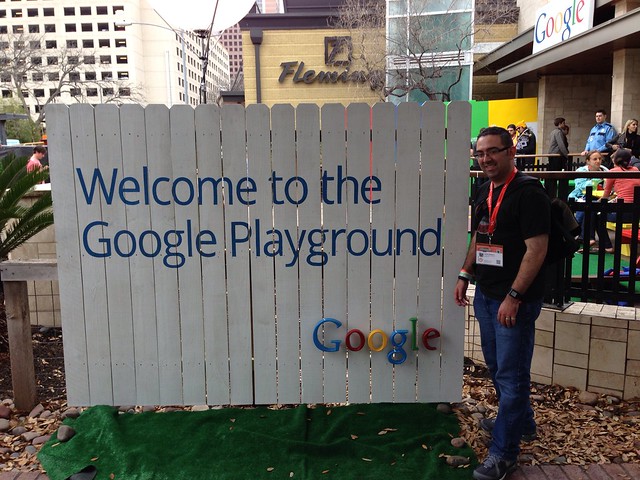
SXSW 2014 will be my 4th year in Austin for the conference since 2010. The first two years were badgeless, just checking out the unofficial events around town and networking at the bars & restaurants near the Austin Convention Center. In 2012, I took the year off since my identical twin daughters were born on March 12, 2012. And last year, I officially attended with a badge, representing the ChaiOne team. Seeing each Elon Musk, Al Gore, Nate Silver, Rachel Maddow, & Dennis Crowley speak within 4 days was pretty remarkable.
Over the past 5 years I’ve learned that while serendipity is the key to an amazing SXSW, you don’t facilitate that without a fair amount of planning in the month before the conference. It helps to RSVP to parties, even if you know you can't attend all of them. It helps to pick several interesting talks at each time slot on the conference schedule so you have options when some are inevitably full or too far away. It helps to poll your network on Twitter & LinkedIn to gauge who will be in town, so you can note who to invite along to interesting events or meet for a drink. It also really helps to pack or buy the right gear to keep your gadgets and body charged for 5 days of abuse.
There are numerous well-written resources online about what to pack and how to maximize your experience while at SXSW. I suggest Googling “SXSW Survival Guide” or “SXSW Packing List” to get broad exposure to veterans’ opinions if you don’t know where to begin. Two I’ve found particularly valuable are Tantek Çelik’s list from 2011 & Aubrey Sabala’s guide from last year.
My list below isn’t intended to be a comprehensive checklist of what you should bring. If nothing else, I hope it may spark some ideas of things you might consider bringing if you’ll be in attendance, serve as a gauge of what an early adopter is using at a tech conference, or represent a humorous reminder of how quaint technology was when you read this 5 years from now.
I’ve broken the list into six sections. The first two are focused on the gadgets and the accessories that will power those gadgets. The next two are about powering the badge-wearing biomachine, and hacking that biomachine to endure 18 hour days of walking, learning, networking, and…drinking…heavily. The fifth is a quick rundown of the other non-battery-powered items I advocate keeping in your go bag each day. The last section is all about the mobile apps that will be getting their own respective workouts during the event.
Gadgets
- iPhone 5S: This will inevitably be my most-used device. Tablets, smart watches, glasses, & other wearable tech is important, but nothing matches the criticality of your phone at SXSW.
- iPad: I'm using a 3rd generation (the first with a Retina display) model, and intend to use this the most during conference talks for note taking, tweeting, and ad hoc Googling.
- Google Glass: I was able to get my prescription frames & lenses in just in time for SXSW this year, so I'll really be putting Glass through its paces for the first time at the event.
- Nike Fuelband: My second highest Nike Fuelpoints day of 2013 was the Saturday of SXSW. I'm hoping to top that while walking around downtown this year.
- Withings Pulse: I have a hunch that I'll get my target of 10,000 steps per day all 5 days of the event, but nowhere near the recommended 8 hours of sleep per night that this gadget will be monitoring.
- Pebble: Push Notifications from my iPhone on my wrist. I forgot my Pebble charger at SXSW last year, and missed its functionality dearly.
- Wii U Fit Meter: With all the hills in Austin, I'm hoping I make some measurable progress in Wii Fit U on ascending the equivalent height of Mt. Everest.
- Nintendo 3DS XL: While I don't think I'll get much playing time while in Austin, by tossing this in my bag, I'll easily be able to fill up my Nintendo ID with Play Coins from all the walking. Although, I'm always up for a game of Mario Kart!
Gadget Power
- Mophie Juice Pack Helium: My first line of defense in an electricity hungry conference, this extended battery case served me well last year and will be flipped on once my phone's internal battery hits 20%...which will likely be before lunch each day.
- Anker Astro 6,000 mAh Portable Charger: My second line of defense, this battery should be enough to get me 2 or 3 more full charges on the iPhone each day. Depending on the day, this will last me until I get back to my rental house each evening (read: 2:00-3:00AM).
- Anker Astro3 12,000 mAh Portable Charger: Here's the catch-all battery for everything else I'll be wearing or using each day. Likely gadgets to drink from this oasis include the iPad, Google Glass, and possibly the Pebble. Those new watch faces that are possible in the 2.0 Pebble firmware are really power hungry. If I blow through the charges in the first two items on the list, this guy will also be available for the iPhone.
- Anker 40W 5V / 8A 5-Port Travel USB Charger: This won't go out and about with me in my bag, but instead will serve as the main charging hub once I'm back in my room each evening.
- Mediabridge Portable Surge Protector with USB Chargers: One in my backpack each day, and then one back in the room.
- Assorted Lightning/30-Pin/Micro USB Cables: As you can infer from the list of gadgets and external batteries above, I'm going to need more than just a few of these to ensure I'm starting each morning 100% juiced up.
Body Fuel
First Thing In The Morning
- Bottled Water
- Gatorade
- Coconut Water
- Red Bull
Carried In The Bag To Consume Throughout The Day
- Powerbar
- Gatorade Chews
- Candy Bar
- Beef Jerky
Every Other Opportunity
- BBQ
- Tacos
Body Hacks
Did I mention every day pushes about 18 hours, for many of those hours you're drinking with new & old friends alike, and you'll shake hands countless times with folks from all over the planet who may or may not be in tip top health? Yeah, it's more than just a tad taxing on your body.
The first two years I attended SXSW, I thought "Hey, I went to undergrad in New Orleans, this will be a cake walk!" and came home to Houston a shell of a man both times. Last year, I proclaimed "I will beat the system...with science!" and stocked up on tons of fluids to slurp down each day, along with an assortment of supplements to battle the inevitable dehydration, lack of sleep, and the always looming SXSW Flu.
The plan worked wonders. It's by no means a silver bullet to avoid a hangover completely or make it to the first panel every morning, but it definitely levels the playing field. It also helps ensure you won't need a full week to recover from SXSW once you make it back home (which is more common than you'd believe).
- Hammer Nutrition Endurolytes: Usually employed by marathoners to ensure they keep enough electrolytes in their body while racing. SXSW is a marathon.
- Berroca: Magic fizzy pills from Europe to bring you back to life each morning with a surge of Vitamins B & C.
- Advil Liqui Gels: Short of taking prescription pain relievers for your inevitable headache, this is the next best thing. Prudent to wait until the next morning to take these, though, as mixing with alcohol at the end of the night can be dangerous.
- Airborne Powder: One packet mixed with a glass of water in the morning, one before bed.
- Emergen-C Powder: One packet mixed with a glass of water at lunch.
- Prolab Caffeine Tablets: Easier on the bladder than coffee, but with an equivalent jolt of caffeine as two cups of joe. You do want to be alert and engaged during the panels, right?
- Advocare Slam: Kind of like a 5 Hour Energy, but I've found it to make me less jittery. I down one of these after dinner before the evening parties.
- Visine: You won't get enough sleep and your eyes will be dry as a result. This helps.
- Burt's Bees Lip Balm: My lips never get chapped at any other time of year, but with the combination of recycled air inside the convention center, wind in the Austin streets, and sustained abuse on the body, they get chapped at SXSW. This lip balm works wonders to bring them back to normal.
- Altoid Smalls: While I'm sure the combination of breakfast tacos, smoked brisket, and Jack Daniels makes for a delightful daily menu, it doesn't make your breath smell like a fresh autumn breeze.
Misc
- SXSW Badge
- Evernote Moleskine Notebook
- Pen
- Moo Business Cards
- Warby Parker Sunglasses
- Rain Poncho
- Kleenex
- Wet Ones
- Microfiber Cloth
- Square Reader
- Index Cards
Apps
Each year I create a new folder on my iPhone of the apps I expect to primarily use each day while in Austin. Here's this year's batch:
SXSW GO: No need to lug around the printed book of all events when the mobile app can be updated & referenced on the fly.
Secret: I'm hoping for a juicy rumor involving Johnny Football & Miley Cyrus in the RVIP Lounge party bus to show up in my feed. Or just some ridiculousness from the Silicon Valley set.
Find My Friends: Especially if you're traveling to Austin with a team, this is a frictionless way to see where your teammates are around downtown without having to message each one of them.
Foursquare: While I use it daily to keep a digital passport of my life, it takes on new importance at SXSW, especially when you can see which parties or panels are swarming with attendees. The discovery aspect of the app is very useful, too, particularly for those unfamiliar with Austin.
Tweetbot: Create a Twitter list of people you know who will be at SXSW. Also add Twitter accounts that post SXSW news, like @SXSWLineBuddies & @unofficialsxsw. Then browse this list in Tweetbot to get a curated feed of people who you know will be talking about the event or breaking news about that impromptu secret party you want to attend. This is infinitely more useful than trying to follow the #SXSW hash tag which will be filled with a torrent of useless tweets. I heavily use this multiple times every day while in Austin.
GroupMe: This has served as my team's backchannel the last two years at SXSW. Very effective for group chatting and posting funny photos.
Google Maps: Since a lot of party tips travel via word of mouth or tweets/texts, you'll find yourself searching for new venues frequently. This app is a godsend.
Vine: Shooting long video clips at SXSW is bad for your battery. Restrict yourself to 6-second clips, and embrace the creative possibilities!
Instagram: You will see remarkable things at SXSW. Mike Tyson. Buzz-generating Daft Punk banners. Grumpy Cat. Document those memories here.
Eventbrite: Nearly every unofficial SXSW party has an Eventbrite page on which you must RSVP. Just go to the app, search for SXSW, and RSVP to all that interest you. Then when you're boots on the ground in Austin, you can use this as a rough agenda. You can also export your tickets from the Eventbrite app to Passbook so your e-tickets can be scanned at those venues that check.
Sidecar: My brother & I used this service extensively last SXSW. Sidecar is a ride-sharing app, but for SXSW 2013, it was effectively a free, on-demand cab service. I haven't heard yet if they'll be doing a similar promotion this year, but between Sidecar, Lyft, or Uber, there will likely be some method of scoring cheap or free ground transportation while you're in Austin.
Wrap-Up
So that's my toolkit for SXSW this year. Overkill? Perhaps. But it's kind of like going on that European vacation you spend so much time planning. Part of the overall enjoyment is the anticipation of the event.
I recall a quote from Foursquare CEO, Dennis Crowley, last year that went something like, "SXSW is where you experience the future for a few days before you have to go home and live in the present." That's why I still get so excited about the event. Yes, it's expensive. Sure, there's lots of debauchery involved. But, man, if you don't come away from the event with your head swimming in new ideas, dozens of new contacts, and a handful of unbelievable stories, then you're just not doing it right.
If you'll be in Austin for the Interactive portion of SXSW, ping me on Twitter at @JustonWestern. Perhaps we can grab a drink, brisket plate, or that much needed bottle of water together.
Saturday, January 18, 2014
JW's Favorite iPhone & iPad Apps Of 2013

For the sixth consecutive year, I’ve compiled a list of the iOS apps that I’m using the most across my iPhone & iPad. In 2013, I mostly used a 3rd generation iPad and iPhone 5, but upgraded to an iPhone 5S in the fall and continued to use my iPhone 4S for shooting video and docking in my car to use the BMW Connected app.
When I think about 2013, it was really characterized by the proliferation of app-enhanced hardware. Some people call the combo "packs". These connected devices, whether wearable tech or smart home tech, illustrated the continued maturation of iOS as a platform. I’ll talk about some of those apps working in tandem with devices below.
2013 also saw the arrival of iOS 7, unquestionably the most radical change to the OS since its introduction in 2007. The impact this had across the 3rd party developer landscape can’t be overstated. The retooling of apps to adopt the new design language was so non-trivial, that some developers chose to release new versions of their apps not as updates but entirely new apps. Two of my most used apps from 2012, Tweetbot & Reeder, took the path of releasing as entirely new apps given the radical iOS 7 optimization work.
Now read on for the breakdown of how I got things done on mobile in 2013.
iPhone Apps
Most Used Apps
Google Voice
I’m leading with this one because I have a feeling it won’t make the 2014 list. I’ve used Google Voice since 2009, but the product seems to be languishing with only a single minor app update in 2013. Google seems to be pouring more effort into their Hangouts app, but currently there’s no direct tie into the Voice service on iOS. Further diminishing my enthusiasm for the Google Voice app is the increasing role of OS-level hooks for things like Siri texting or dialing. Unless Google Voice gets some attention in early 2014, I’ll likely port my number out to Verizon. But in 2013, Google Voice was how I did all my texting & outbound calling on my iPhone.
The Facebook app got updated no fewer than 20 times in 2013, and each release showed continued improvement. It’s gotten so good, that I’m rarely interacting with Facebook on my MacBook Pro anymore. Occasional quirks still appear (like some posts missing in the iOS app that are still viewable on the desktop), but for most of my Facebook needs, the app fits the bill.
Evernote
I’ve bought into the Evernote system. I’m using their Moleskine notebooks, scanning all my mail & other documents into it via a ScanSnap, and taking the dozens of whiteboard photos for archival into Evernote. Having all of that data searchable and instantly accessible wherever I am is beyond awesome. The iOS 7 refresh of the app is gorgeous, too.
Although video capture was added here in 2013, I still find myself using Instagram mostly as a daily photo journaling tool. I keep the app on my main home screen to remind me to look for photo opportunities throughout the day.
Timehop
My own personal time machine. I check this app every morning to see my digital snippets from that date in previous years that I’ve captured on Twitter, Foursquare & Instagram. It’s entertaining seeing trends, especially around holidays.
Couple
This app was previously branded Pair and mentioned in my 2012 roundup. Couple is the messaging app my wife & I use for daily communication with each other. Sticker packs were added this year, too, and my wife seems to be rather fond of the Pug ones. A little more intimate than just using the stock Messages app or Google Voice for general purpose messaging.
Withings Health Mate
I really ramped up my interest in the quantified self movement this year, and this app is kind of the hub of that activity. In April, I ordered one of the Withings Smart Body Analyzers, picked up the Withings Blood Pressure Monitor in May, and finally added the Withings Pulse activity tracker in June. All of the data provided by these 3 devices is collected and displayed within the Health Mate app so I can track progress over time.
iPhone Apps I Began Using More Frequently In 2013
Dropbox
After becoming a paid subscriber in 2012, I effectively centralized all of my non-music files on Dropbox in 2013. Since all my iPhone photos auto-upload to Dropbox, it’s more convenient just having all of my photos, documents, and other files all accessible via Dropbox than having to log into my PC back at the house via something like LogMeIn.
Google Maps
Although I have a navigation system built into my car, sometimes it’s just quicker to search for something via the Google Maps app and drive away with my iPhone sitting on the dashboard providing navigation instead of finding the exact address and plugging that into my car’s system. Especially if I’m making short trips within the city, I find myself just defaulting to my phone more and more. For longer road trips, though, I still prefer using my car’s built-in navigation.
1Password
I’d been a longtime Splash ID user dating back to my Palm Pilot days in the late 90s, but in February 2013 I decided to switch over to 1Password for my password management needs when the software went on sale. The integration across iOS & OS X at a more seamless level is what swayed me, and I must say it’s been a definite improvement. I’ve finally improved on diversifying my passwords as a result, and given all of the data breaches we saw in 2013, I’m really glad I did.
Flickr
After its drastic 2.0 redesign in late 2012, this app gained another feature in 2013 that really increased my usage: auto-upload of the iPhone’s photos in full resolution. Although Dropbox is still providing a safety backup for my photos, Flickr is ultimately where all of my photos end up, so having them automatically uploaded from my iPhone is saving me a step.
Netflix
After picking up a Chromecast dongle earlier this summer, my usage of the Netflix iPhone app skyrocketed. Why? I attached the Chromecast to a small TV my brother gave me when he moved, setup that TV near my twins’ play area in our living room, and now constantly have cartoons playing on that 2nd TV when we’re watching something else on our main TV. As soon as one cartoon finishes, I queue up another one via the Netflix iPhone app, and the girls’ have their own programming available.
Dropcam
I bought my first Dropcam in early 2012 as a baby monitor for our twins’ nursery. On Memorial Day weekend 2013, my house got shot at (yes, in The Woodlands), and I kind of went into papa bear mode in securing the Casa De Western 4.0. I bought a Glock and a semi-automatic shotgun. I installed enough exterior LED lighting to rival airports. And I went crazy adding more Dropcams onto my home network. How crazy? Enough to merit adding another AirPort Extreme Base Station to my home network to help load-balance the influx of 24/7 video recording. I use the Dropcam app to view all of those video feeds at a glance or drill back into past footage to see what activity there’s been around my house. It also makes for some fun clips like this: https://twitter.com/JustonWestern/status/402645347115474944
Runkeeper
In large part because of its integration with the Withings Health Mate app and the Pebble watch, I’ve started using Runkeeper to track all of my runs and dog walks. Although I still keep all of my activity tracked within the Nike+ world via the FuelBand app, the 3rd party support of Runkeeper makes it a valuable piece of my overall logging system.
Nest Mobile
I received a pair of Nest Thermostats for our house as a birthday gift in 2013, and have since been more excited with thermostats than I ever thought I’d be. Using the iPhone app, I’ve been much more in tune with the house’s energy usage, and particularly enjoy turning on either the AC or heat a few hours before arriving home from a road trip so we arrive home to a comfortable house.
Favorite New iPhone Apps of 2013
Pebble
I backed the Pebble smart watch on Kickstarter during its 2012 campaign, and finally received my unit in February 2013. While it’s still not what I’d deem a mass market product, I’ve really enjoyed tinkering with mine, and have particularly enjoyed it the 2nd half of the year. Once iOS 7’s Apple Notification Center Service was implemented within the Pebble app, it increased the reliability of getting notifications from your phone to your watch significantly. I now wear mine all the time, and really love the Runkeeper app that runs on it that gives me time/distance/pace info on my wrist during my runs and walks. The Pebble app itself is kind of the conduit that facilitates that interaction between the iPhone and the Pebble watch.
Vine
Released early in 2013, Vine did to videos for me what Instagram did for photos. I’ve found myself looking for more opportunities to shoot those 6 second video clips that loop endlessly. You can see the nearly 100 clips I shot in 2013 here: https://vine.co/juston
Tweetbot 3
Although Tweetbot has been on my list for several years, this year saw the release of an entirely new app that leverages the new iOS 7 design language. Tweetbot is the gold standard by which all other social media apps are measured, and Tweetbot 3 reconfirmed that. This app is particularly useful if you have multiple Twitter accounts.
Reeder 2
Another app which chose the new app path for their iOS 7 redesign, Reeder 2 is the long-standing favorite iOS RSS client. Even with the shutdown of Google Reader earlier this year, I found refuge in a service called Feedbin that Reeder supported as an RSS backend. The resulting experience transitioning from Google Reader to Feedbin was painless, and Reeder 2 made the whole experience feel right at home on iOS 7.
ESPN SportsCenter
The Push Notifications from this app are what makes it great, and the development team seemed to recognize that, making per game notifications even easier to quickly set in the app’s major 4.0 release that arrived in late November. Since ESPN is the 800 pound gorilla in sports programming, you’re almost always assured of finding any relevant highlights available within the app, too.
Automatic
This app pairs with a Bluetooth dongle that plugs into the OBD port of your car. Then all of your driving activity is tracked in a way that suggests improvements in your driving style to optimize fuel efficiency and safety. It’s also kind of interesting to have something of a driving journal so you can see trends over time with commute times.
IFTTT
I’ve long been a fan of If This Then That (aka IFTTT), and the arrival of their iOS app this year just made me love the service more. Using a Trigger & Recipe model, this app allows me to link together different web-based services to automate various portions of my life. For some of the recipes I’ve created, check out my shared ones here: https://ifttt.com/p/juston
iPad Apps
Gmail
When I’m working with email on my iPad, I’m usually looking to do a bit more than just read messages like I do on my iPhone with the native Mail app. I heavily use labels in Gmail, so if I’m looking to label & archive messages as I triage my Inbox, this has proven to be the most effective iPad mail client for me.
TiVo
We’ve been a TiVo household since 2005, and the past two years have been fantastic when it comes to integration with iOS devices. When we’re traveling, we download shows locally from the TiVo Roamio Pro to the iPad and then watch on the road. In 2013, the iPad app also gained the ability to stream live TV, which I used most often to watch NFL games while we were traveling that weren’t available in the NFL Sunday Ticket app. I also downloaded the full Iron Bowl broadcast to watch on our drive back to Houston from Auburn. War Damn Eagle.
WatchESPN
This is perhaps my most used iPad app, especially during college football season. Since the Southeastern Conference has a contract with ESPN (and will be launching the SEC Network this August), my wife & I were almost always assured to have either the LSU or Auburn games available on the iPad via the WatchESPN app if we had the other game on the TV in our living room.
Tweetbot
In my opinion, this is still the killer app for a second screen experience. When we’re watching a game or some other live event on TV where there’s a high likelihood that people will be tweeting about it, I just set the iPad beside me on the couch with this app running to watch the backchannel conversation roll in. Sadly the iPad version of Tweetbot didn’t see an iOS 7 refresh in 2013, but hopefully that arrives early in 2014.
Kindle
Probably my second most used app on the iPad, Kindle quenches my thirst for long-form reading. I blew through 10 books in the Kindle app in 2013, and am targeting at least that many in 2014. While I will occasionally read some chapters of books via the Kindle iPhone app, the iPad incarnation is still my favorite.
Reeder 2
While this app sees much less of my eyeballs than the iPhone version of Reeder 2, if I’m looking for a quick fix of RSS feeds before bed, I regularly spend about half an hour reading through articles in this app. Reeder 2 is a universal app, unlike its predecessor which required different purchases for the iPhone & iPad versions.
NFL Sunday Ticket
Hands down the most expensive app in my library, on account of the required subscription at a rate of $300 each year. But as a New Orleans Saints fan living in Houston, this app (reasonably) assures me that I’ll get to watch every Saints game each season. As I mentioned last year, yes, this is insanely expensive, but it’s still cheaper than going to a sports bar each Sunday.
Tweet Library
I discovered this app early in 2013 and it’s changed the way I dig through my 6,500 tweets from the past 7 years. Tweet Library allows you to import your Twitter archive of tweets (which you request from your Settings page on Twitter.com), and then makes that entire catalogue of tweets searchable to you. Tweet Library is also a full fledged Twitter client, but it’s the import/search functionality that makes it truly stand out.
Wednesday, December 25, 2013

Sunday, October 27, 2013

Saturday, April 27, 2013

Wednesday, January 02, 2013
JW's Favorite iPhone & iPad Apps Of 2012

Not since the original iPhone release in 2007 or the original iPad release in 2010 has the software landscape for iOS been so directly impacted by new hardware as it was in 2012. With the new iPad gaining a Retina display in March, the iPhone 5 getting a taller screen in September, and the iPad mini showing a new iOS device form factor in November, iOS developers had an increasingly diverse suite of screen resolutions and design considerations to address.
As an app consumer (especially if you were an early adopter of those new devices), the impact of the steady march forward in hardware was jarring at times. If your favorite iPad apps weren't Retina-optimized, they sometimes looked terrible. If your favorite iPhone apps weren't optimized for the taller iPhone 5 display, you needed to adjust to having black bars letter-boxing your app at the top & bottom of the screen.
Despite these relatively minor nuisances, 2012 was also an absolutely fascinating time to follow the evolution of app design & development. While I'm fortunate enough to be involved in this space as part of my day job at ChaiONE, I also continue to be legitimately passionate about this stuff and spend much of my free time trying out new apps on my own devices or running initiatives like the Houston App Aficionados.
As I've done the past four years (2008, 2009, 2010, 2011), I've taken stock of the apps I'm regularly using across my iPhone & iPad, and written a quick blurb about each of them below. I'm hopeful you'll find some on this list that you can use to make your days better in 2013.
iPhone Apps
Most Used iPhone Apps
Tweetbot
This third-party Twitter client from Tapbots is still how most of my social network status updates originate (with syndication to Facebook via the Twitter app now that Ifttt can no longer use Twitter triggers). With multiple account support, it's the one client I use on my iPhone across 5 Twitter accounts.
Foursquare
The granddaddy of checkin apps, I use this as my personal passport, checking into each venue I enter every day. With nearly 4 years worth of my checkin data in this app, it's fascinating to see the stats on elapsed time between visits.
Reeder
If you want an efficient means of consuming website articles, this Google Reader client is still best in class. This single app accounts for the majority of app use on my iPhone.
Evernote
Particularly since the UI-overhauled 5.0 release of this app in November, I find myself creating more notes via the iPhone app, as opposed to the Mac app. This is especially true for capturing photographs of notes/drawings on whiteboards around the office and at home.
Despite the Facebook acquisition of Instagram in April, and its Terms of Service PR firestorm in December, the app & its highly-engaged community still set the standard for mobile-first photo sharing. While I cross-post all my Instagram shots to Flickr & Blogger, I still originate the majority of my photos in Instagram.
iPhone Apps I Began Using More Frequently In 2012
Gmail
Google's iOS team was prolific in 2012, overhauling some of their existing iPhone apps, and releasing several completely new ones. One to see a significant improvement towards the end of the year was version 2.0 of Gmail, with multiple account support & a crisp white user interface that made email on the iPhone fresh again. If you're a heavy user of labels in Gmail, this app is a must-have.
Google Voice
Despite the proliferation of the iMessage protocol to OS X in Mountain Lion, and continued feature enhancements in iOS 6, I still conduct the majority of my text-based communications through the Google Voice iPhone app. When I'm at my computer, I'll compose & respond via the Chrome Google Voice extension, but when I'm away from my desk, this app is still my go to solution.
Flickr
With the executive shakeup at Yahoo earlier this year, there seems to be a revived interest in their Flickr product. The iPhone app benefitted from that renewed attention, with a redesign that finally looks and behaves like a mobile photo social network. Today I'm mostly using it to view photos instead of photo capture, but that may change in 2013 if Instagram clutters up their app interface.
Dropbox
After lightly using the service for the past several years, I finally became a paying Pro subscriber in 2012, driven in large part by the Camera Upload functionality added to their iPhone app. Having become a new father in March, I wanted to ensure I never had to worry about losing photos or videos I shot of my twins on my iPhone, so the Dropbox app has become a critical piece of my daily data backup scheme.
The Facebook iPhone app had been limping along for years until its 5.0 release in August. Now with a native implementation of several features that were previously built using HTML5, getting your Newsfeed & Timeline to load within the iPhone app is significantly faster & less frustrating.
Amazon
Our household became Amazon Prime members in January in preparation for getting regular shipments of baby items like diapers & formula. Now we order everything from scissors to plungers through the site thanks to its free two day shipping, and I normally reach for my iPhone to add things to our cart via the Amazon app. It's not as robust for browsing Amazon.com as using a web browser on your laptop, but for quickly searching & buying items, it serves the purpose quite well.
Slice
Since during any given week we have several Amazon orders headed our way thanks to that Prime subscription, this app has become indispensable for quickly knowing what is going to arrive and when. Getting Push Notifications when your package is out for delivery and then when it's actually delivered saves me the time & effort of logging into the UPS or FedEx sites to track shipment progress.
Favorite New iPhone Apps of 2012
Timehop
Remember the 4 years worth of Foursquare checkin data I mentioned earlier? Well Timehop helps me resurface it, every single day. By connecting your Foursquare, Facebook, Twitter, & Instagram accounts to Timehop, the app will send you a Push Notification each morning letting you know your personal history for that day has been assembled. You'll see what updates you posted to those various social networks last year, 2 years ago, all the way back to 2004 if you were using Facebook back then.
Letterpress
Developed by Loren Brichter, who invented the 'pull to refresh' functionality now leveraged across countless iOS apps, this casual word game is like a more entertaining Words With Friends or Scrabble. Whereas Words With Friends just became tedious after a few rounds, Letterpress has become a fun attention diversion that I'm still enjoying daily even after several months of play.
Pair
This app is an iOS-only social network between you and your significant other. My wife & I use it to send messages, photos, and videos back and forth to each other throughout the day. We could accomplish the same thing via traditional text messages, but this app feels more intimate and has some cute couples-centric features that make it enjoyable to incorporate into our daily routines.
Netbot
Netbot is effectively a clone of Tweetbot, but targeted at the ad-free, paid App.net social network instead of Twitter. I signed up for a year subscription to App.net after Netbot was released in October, and it's been a fun community of mostly geeks reminiscent of Twitter circa 2007.
WithBaby
After our twins arrived in March, I wanted to outfit their nursery with a video baby monitor. I settled on two, with the Withings Smart Baby Monitor being particularly well-suited to our needs because of the baby-centric nature versus a standard web cam. WithBaby is the iPhone app companion and allows my wife & I to see the girls when we're at work, turn on lullabies, monitor the temperature & humidity in the nursery, and even talk to the twins via the built-in speaker of the baby monitor.
Dropcam
This was the second video baby monitor I chose. While not marketed solely as a baby monitor, Dropcam was attractive because it provided an online DVR feature that let me rewind to any motion or sound events that took place in the nursery. Aside from iPhone & iPad apps, I can also access my video footage via a web browser when I'm at my desk.
Frameographer
This app was developed by the creators of the Glif iPhone tripod mount accessory. It allows you to create stop-motion & time-lapse videos. I've used it to create some interesting videos, such as this one of my daughters swinging in baby seats and this one of clouds billowing over Houston on Halloween.
Nike+ FuelBand
A recent addition to my fitness app arsenal, I'm looking to leverage this app + wristband combo meaningfully in 2013 as a way to stay motivated to hit my fitness & weight loss goals. By earning Nike Fuel points each day and competing against your Facebook friends, the idea is that you'll move more. My wife says it makes me a little more like a robot. I think I'm OK with that.
Google Maps
Even if you don't follow mobile technology closely, you likely heard about this app due to the high-profile negative PR surrounding Apple's Maps in iOS 6. In short, Google Maps is worthy of the hype. The data is accurate, the UI is crisp, the turn by turn voice directions are well executed, and the app pulls in search history of location queries you've done on your computer. It's awesome.
Google Drive
Google Docs was rebranded as Google Drive this year. I have nearly 8 years of documents & spreadsheets within the Google Drive system, so having a way to natively access and edit my files on my iPhone has been a tremendous addition to my productivity toolkit.
iPad Apps
SoundCloud
When Megaupload was shut down in January, it had a chilling effect on the availability of podcasts and live mix set recordings from DJs around the world. I speculated at that time that we'd see a consolidation of mixes to the SoundCloud platform as a result, and the rest of 2012 seemed to support that hypothesis. Soundcloud's iPad app is excellent, and if you follow the right artists on the site, it becomes a reasonable alternative to services like Spotify or Rdio for electronic music fans.
Sunday Ticket
In NFL seasons past, if we didn't get the Saints game on our Comcast cable package here in Houston, we'd just go to one of the local sports bars to watch the game. Since having two infants complicated that approach, this season we subscribed to the online-only package of Direct TV's NFL Sunday Ticket. The Sunday Ticket iPad app allowed us to watch the Saints games at home on the couch with the girls, while we had the Texans game on the big screen.
WatchESPN
When ESPN & Comcast reached a content agreement in May of 2012 to allow Comcast customers access to the WatchESPN app, I knew football season was going to be awesome. I was right. Every Saturday during the fall, we'd have a football game on our TV, and then two other games pulled up in the WatchESPN apps on our iPads. It was like our living room was a more comfortable Buffalo Wild Wings. Perfect.
TiVo
We added a TiVo Premiere XL4 & TiVo Stream box to our home theater setup in 2012, which meant the TiVo iPad app became significantly more feature packed. The app allows us to stream shows wirelessly over our home network to the iPad while something else is being watched on TV. Or we can download previously recorded shows to the iPad app to take with us while we're traveling. It also allows us to schedule recordings or browse the program guide on the iPad instead of interrupting viewing on the TV.
Chrome
While I still mostly use Safari on my iPhone for web browsing, I've found myself using the Chrome browser on my iPad more each month since it was released during the summer. As someone who spends his days working in the Chrome browser on the Mac, the familiarity of Chrome on the iPad feels nice when I'm casually web browsing at night.
Tweetbot
This is my most used iPad app. When we're watching television in the evenings, I'll leave my iPad next to me on the couch with Tweetbot open and watch as the stream of updates roll in. This is particularly compelling during live sporting events, or other live events like elections and news broadcasts. This is the best second-screen experience app I've come across.
GV Mobile +
Since Google still hasn't developed an iPad-optimzed Google Voice app, I use GV Mobile + for responding to text messages when I have my iPad next to me, but my iPhone is on the charger. It was developed by Sean Kovacs, who really drove the movement for Google Voice on the iPhone in 2009 & 2010 before Google ever released their own first-party solution.
iControlAV
This app is for the Pioneer VSX-1122 AV receiver we added to our home theater this summer. It allows me to change source inputs, volume, zone outputs, and basically all other functionality that you'd normally need to use the IR remote to execute, but over Wi-Fi via the app. That means I can change audio sources on my backyard patio while smoking a cigar without ever impacting the show or volume my family is watching in the living room.
Scanner Pro
Since the third-generation iPad added a respectable camera to the device, apps like Scanner Pro can leverage photo-capture capabilities to accomplish tasks like scanning in documents. While you won't mistake the resulting PDF for something produced by a quality hardware scanner like a Fujitsu ScanSnap, it's very convenient to be able to scan in documents on the spot when at a client site with only your iPad, instead of waiting to get back to a dedicated scanner to digitize a few pieces of paper.
CNN
With the ability to stream the live TV broadcast of CNN through the iPad app, I've found myself setting up the iPad on my desk at work whenever there's a breaking news story. While the merits of cable news journalism can be debated ad nauseam, it's still an integral piece of my data consumption workflow when something of national or international significance is happening at that very moment.
Saturday, November 10, 2012

Sunday, November 04, 2012
Houston App Aficionados October 2012 - Great Videography Apps

Kelsey Ruger presents at the Houston App Aficionados Meetup held at START Houston on October 24, 2012. The theme was great videography apps.
Below is a list of the apps discussed, with direct links to download them in the iTunes App Store, and deep links to the specific times in the video where each was demo'd. For info on upcoming App Aficionados events, check out the website at www.appaficionados.com.
StillShot
Get The App: https://itunes.apple.com/us/app/stillshot/id520436425?mt=8
Watch The Demo: http://youtu.be/v3WW36PiVH0?hd=1&t=4m1s
BarNotes
Get The App: https://itunes.apple.com/us/app/barnotes-social-cocktail-drink/id537725933?mt=8
Watch The Demo: http://youtu.be/v3WW36PiVH0?hd=1&t=7m34s
Timehop
Get The App: https://itunes.apple.com/us/app/timehop/id569077959?mt=8
Watch The Demo: http://youtu.be/v3WW36PiVH0?hd=1&t=9m31s
8-Bitty
Get The Hardware: http://www.thinkgeek.com/product/ecea/
Watch The Demo: http://youtu.be/v3WW36PiVH0?hd=1&t=13m30s
NESoid
Get The App: http://slideme.org/application/nesoid
Watch The Demo: http://youtu.be/v3WW36PiVH0?hd=1&t=13m30s
Dropbox
Get The App: https://itunes.apple.com/us/app/dropbox/id327630330?mt=8
Watch The Demo: http://youtu.be/v3WW36PiVH0?hd=1&t=31m10s
PhotoSync
Get The App: https://itunes.apple.com/us/app/photosync-wirelessly-transfers/id415850124?mt=8
Watch The Demo: http://youtu.be/v3WW36PiVH0?hd=1&t=31m36s
Glif
Get The Hardware: http://www.studioneat.com/products/glifplus
Watch The Demo: http://youtu.be/v3WW36PiVH0?hd=1&t=37m15s
Gorillapod
Get The Hardware: http://joby.com/gorillapod/magnetic
Watch The Demo: http://youtu.be/v3WW36PiVH0?hd=1&t=37m48s
Sunpak Pocket Tripod
Get The Hardware: http://www.amazon.com/SUNPAK-620-203-Sunpak-Pocket-Tripod/dp/B00009W3TW/
Watch The Demo: http://youtu.be/v3WW36PiVH0?hd=1&t=37m56s
iSound Portable Power Max
Get The Hardware: http://richardsolo.com/portablepowermax16000mahbackupbattery.aspx#.UJbLaGl24aw
Watch The Demo: http://youtu.be/v3WW36PiVH0?hd=1&t=38m11s
The SlingShot
Get The Hardware: http://photojojo.com/store/awesomeness/slingshot/
Watch The Demo: http://youtu.be/v3WW36PiVH0?hd=1&t=40m6s
Steadicam Smoothee
Get The Hardware: http://www.amazon.com/Steadicam-Smoothee-for-iPhone-4/dp/B004CJ8CS2
Watch The Demo: http://youtu.be/v3WW36PiVH0?hd=1&t=43m40s
Mobislyder
Get The Hardware: http://www.mobislyder.com/
Watch The Demo: http://youtu.be/v3WW36PiVH0?hd=1&t=47m11s
Camera Plus Pro
Get The App: https://itunes.apple.com/us/app/camera-plus-pro/id345752934?mt=8
Watch The Demo: http://youtu.be/v3WW36PiVH0?hd=1&t=53m1s
FiLMiC Pro 2
Get The App: https://itunes.apple.com/us/app/filmic-pro-2/id555853307?mt=8
Watch The Demo: http://youtu.be/v3WW36PiVH0?hd=1&t=53m53s
Miniatures
Get The App: https://itunes.apple.com/us/app/miniatures-tilt-shift-time/id417005566?mt=8
Watch The Demo: http://youtu.be/v3WW36PiVH0?hd=1&t=1h3m55s
iTimeLapse
Get The App: https://itunes.apple.com/us/app/itimelapse-pro-time-lapse/id335866860?mt=8
Watch The Demo: http://youtu.be/v3WW36PiVH0?hd=1&t=1h5m49s
Fast Camera
Get The App: https://itunes.apple.com/us/app/fast-camera/id402777723?mt=8
Watch The Demo: http://youtu.be/v3WW36PiVH0?hd=1&t=1h9m
SloPro
Get The App: https://itunes.apple.com/us/app/slopro-1000fps-slow-motion/id507232505?mt=8
Watch The Demo: http://youtu.be/v3WW36PiVH0?hd=1&t=1h9m58s
8mm Vintage Camera
Get The App: https://itunes.apple.com/us/app/8mm-vintage-camera/id406541444?mt=8
Watch The Demo: http://youtu.be/v3WW36PiVH0?hd=1&t=1h11m10s
Vintagio
Get The App: https://itunes.apple.com/us/app/vintagio/id335148458?mt=8
Watch The Demo: http://youtu.be/v3WW36PiVH0?hd=1&t=1h12m6s
Videolicious
Get The App: https://itunes.apple.com/us/app/videolicious/id400853498?mt=8
Watch The Demo: http://youtu.be/v3WW36PiVH0?hd=1&t=1h13m40s
Magisto
Get The App: https://itunes.apple.com/us/app/magisto-magical-video-editor/id486781045?mt=8
Watch The Demo: http://youtu.be/v3WW36PiVH0?hd=1&t=1h13m57s
Cinemagram
Get The App: https://itunes.apple.com/us/app/cinemagram/id487225881?mt=8
Watch The Demo: http://youtu.be/v3WW36PiVH0?hd=1&t=1h15m51s
Vyclone
Get The App: https://itunes.apple.com/us/app/vyclone/id521680614?mt=8
Watch The Demo: http://youtu.be/v3WW36PiVH0?hd=1&t=1h18m23s
VidRhythm
Get The App: https://itunes.apple.com/us/app/vidrhythm/id457548851?mt=8
Watch The Demo: http://youtu.be/v3WW36PiVH0?hd=1&t=1h18m57s
Camera+
Get The App: https://itunes.apple.com/us/app/camera+/id329670577?mt=8
Watch The Demo: http://youtu.be/v3WW36PiVH0?hd=1&t=1h23m50s
PhotoToaster Jr.
Get The App: https://itunes.apple.com/us/app/phototoaster-jr./id466492126?mt=8
Watch The Demo: http://youtu.be/v3WW36PiVH0?hd=1&t=1h24m2s
Camera Infinity
Get The App: https://itunes.apple.com/us/app/camera/id486376930?mt=8
Watch The Demo: http://youtu.be/v3WW36PiVH0?hd=1&t=1h24m12s
Saturday, November 03, 2012

Sunday, September 30, 2012
Houston App Aficionados Meetup - September 2012: Awesome Football Apps Recap
Juston Western presents at the Houston App Aficionados Meetup held at START Houston on September 26, 2012. The theme was great apps for football.
Below is a list of the apps discussed, with direct links to download them in the iTunes App Store or Google Play Stores, and deep links to the specific times in the video where each was demo'd:
Nintendo TVii
Get The App: http://www.nintendo.com/wiiu/features/#/features-tvii
Watch The Demo: http://www.youtube.com/watch?v=40-AYwVuTrs#t=00m53s
FREEdi YouTube Player
Get The App: http://itunes.apple.com/us/app/freedi-youtube-player/id471259804?mt=8
Watch The Demo: http://www.youtube.com/watch?v=40-AYwVuTrs#t=08m01s
Video Playlist LITE
Get The App: http://itunes.apple.com/us/app/video-playlist-lite/id416580216?mt=8
Watch The Demo: http://www.youtube.com/watch?v=40-AYwVuTrs#t=10m31s
AirParrot
Get The App: http://airparrot.com/
Watch The Demo: http://www.youtube.com/watch?v=40-AYwVuTrs#t=11m46s
Maps
Get The App: http://www.apple.com/ios/maps/
Watch The Demo: http://www.youtube.com/watch?v=40-AYwVuTrs#t=13m34s
ESPN College Football
Get The App: http://itunes.apple.com/us/app/espn-college-football/id399071885?mt=8
Watch The Demo: http://www.youtube.com/watch?v=40-AYwVuTrs#t=20m48s
NFL '12
Get The App: http://itunes.apple.com/us/app/nfl-12/id389781154?mt=8
Watch The Demo: http://www.youtube.com/watch?v=40-AYwVuTrs#t=24m47s
ESPN ScoreCenter
Get The App: https://play.google.com/store/apps/details?id=com.espn.score_center
Watch The Demo: http://www.youtube.com/watch?v=40-AYwVuTrs#t=28m04s
CFStats
Get The App: http://itunes.apple.com/us/app/cfstats/id436440443?mt=8
Watch The Demo: http://www.youtube.com/watch?v=40-AYwVuTrs#t=31m36s
Sports Illustrated Football Rivals
Get The App: http://itunes.apple.com/us/app/sports-illustrated-football/id461800539?mt=8
Watch The Demo: http://www.youtube.com/watch?v=40-AYwVuTrs#t=35m35s
YellowFlag
Get The App: http://itunes.apple.com/us/app/yellowflag/id552600426?mt=8
Watch The Demo: http://www.youtube.com/watch?v=40-AYwVuTrs#t=37m03s
iOS 6 Panorama Camera
Get The App: http://www.apple.com/iphone/built-in-apps/
Watch The Demo: http://www.youtube.com/watch?v=40-AYwVuTrs#t=41m26s
TiVo
Get The App: http://itunes.apple.com/us/app/tivo/id401673976?mt=8
Watch The Demo: http://www.youtube.com/watch?v=40-AYwVuTrs#t=45m13s
NFL Sunday Ticket Online
Get The App: http://www.directv.com/DTVAPP/content/nflstonline/overview
Watch The Demo: http://www.youtube.com/watch?v=40-AYwVuTrs#t=49m57s
NFL Game Rewind
Get The App: http://itunes.apple.com/us/app/nfl-game-rewind/id548213544?mt=8
Watch The Demo: http://www.youtube.com/watch?v=40-AYwVuTrs#t=56m32s
WatchESPN
Get The App: http://itunes.apple.com/us/app/watchespn/id429009175?mt=8
Watch The Demo: http://www.youtube.com/watch?v=40-AYwVuTrs#t=01h01m23s
DirecTV NFL SundayTicket
Get The App: http://itunes.apple.com/us/app/sunday-ticket/id390577714?mt=8
Watch The Demo: http://www.youtube.com/watch?v=40-AYwVuTrs#t=01h06m00s
SportsYapper
Get The App: http://itunes.apple.com/us/app/sportsyapper/id515057611?mt=8
Watch The Demo: http://www.youtube.com/watch?v=40-AYwVuTrs#t=01h19m09s
SportStream
Get The App: http://itunes.apple.com/us/app/sportstream/id530282846?mt=8
Watch The Demo: http://www.youtube.com/watch?v=40-AYwVuTrs#t=01h20m08s
Team Stream HD
Get The App: http://itunes.apple.com/us/app/team-stream-hd/id484725748?mt=8
Watch The Demo: http://www.youtube.com/watch?v=40-AYwVuTrs#t=01h21m02s
College Football Radio & Live Scores
Get The App: http://itunes.apple.com/us/app/college-football-radio-live/id458903975?mt=8
Watch The Demo: http://www.youtube.com/watch?v=40-AYwVuTrs#t=01h22m00s
NFL Mobile
Get The App: http://itunes.apple.com/us/app/nfl-mobile/id432015643?mt=8
Watch The Demo: http://www.youtube.com/watch?v=40-AYwVuTrs#t=01h23m00s
ESPN Fantasy Football 2012
Get The App: https://play.google.com/store/apps/details?id=com.espn.espnfantasyfootball
Watch The Demo: http://www.youtube.com/watch?v=40-AYwVuTrs#t=01h25m57s
ScoreMobile
Get The App: https://play.google.com/store/apps/details?id=com.fivemobile.thescore
Watch The Demo: http://www.youtube.com/watch?v=40-AYwVuTrs#t=01h30m53s
Saturday, August 18, 2012

Subscribe to:
Posts (Atom)

